
Management software for Vietnamese businesses
Run your whole business in one app
Stock, sales, customers, staff and accounting in one place. The numbers always match, so month end is no longer a reconciling marathon.
areas of the business in one app
screens, with access set per person
ready made reports, download to Excel
languages: Vietnamese and English
One app per department, and a month end spent reconciling
The usual story
- Stock in the software does not match the shelf, and nobody knows since when
- Customer points live in another app that never sees the sales receipt
- Approvals happen in group chats, with no idea whose desk they are on
- Accounting retypes every stock note into another program
With DKHub
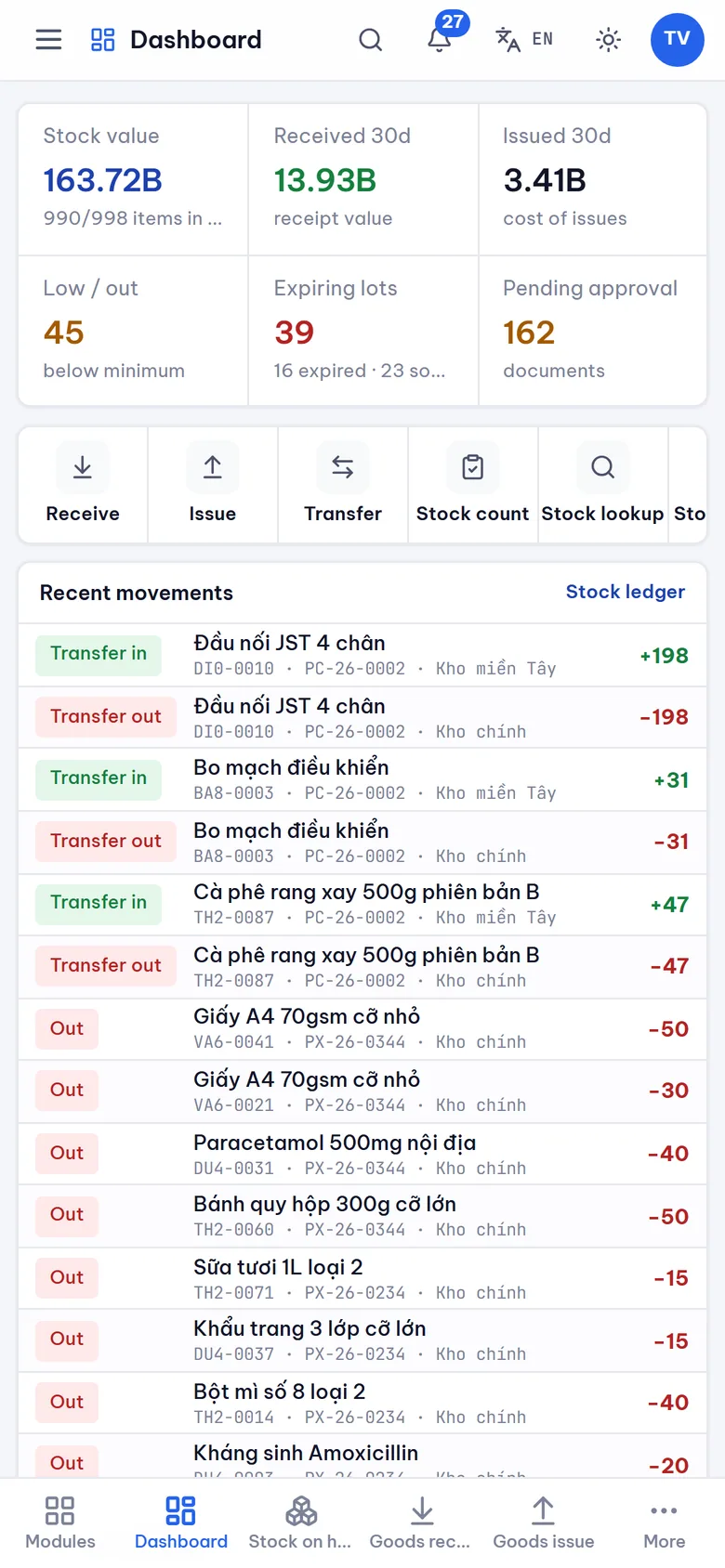
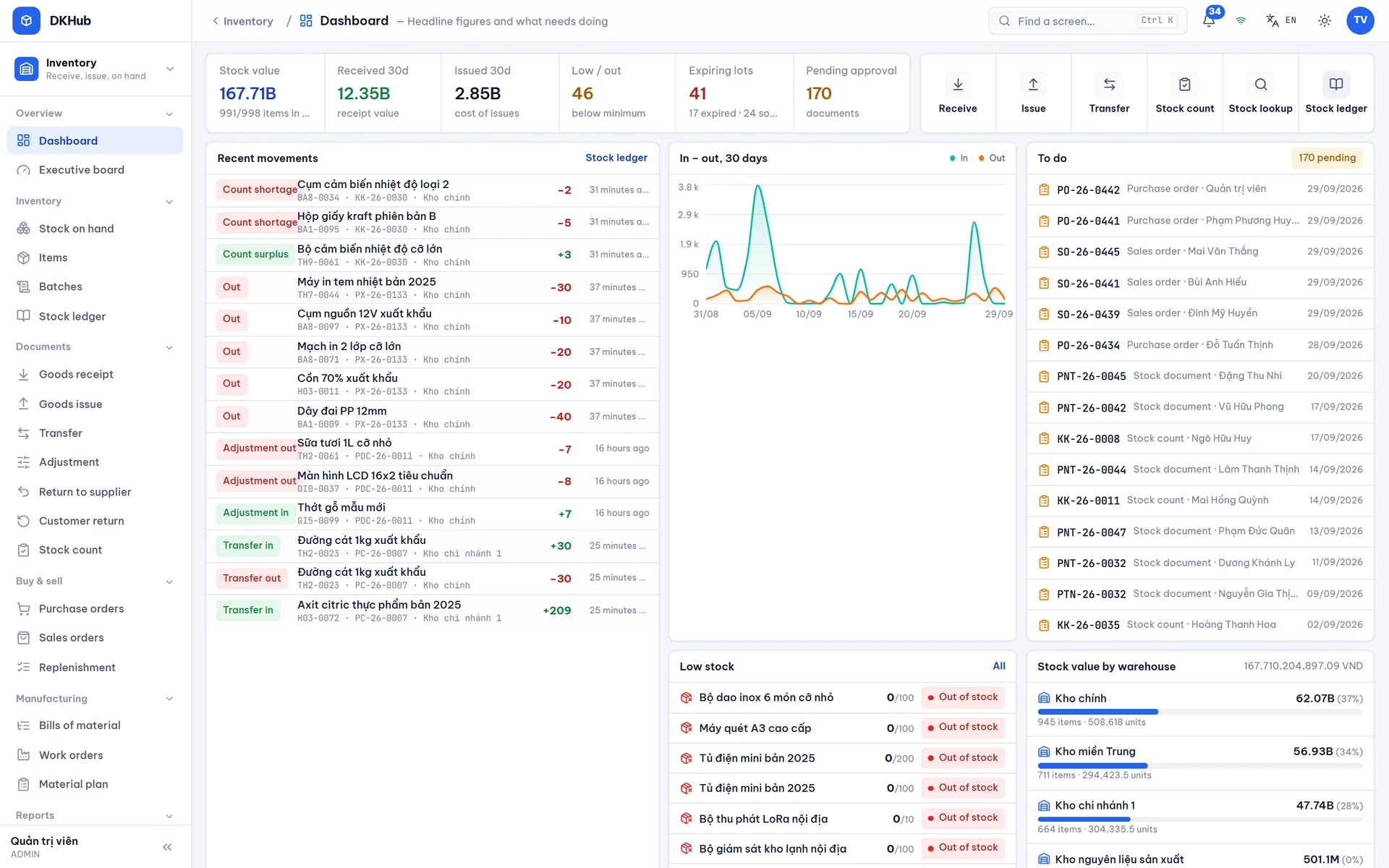
- Stock updates with every receipt and sale. Tap a number to see what changed it
- Every sale adds points, upgrades members and sends a thank you message
- Requests reach the right approver with a deadline, and everyone can see the status
- Once a stock note or payroll is approved, accounting already has the numbers
Every area works from the same numbers
Switch on only what you need. Each person sees only their own part of the work.
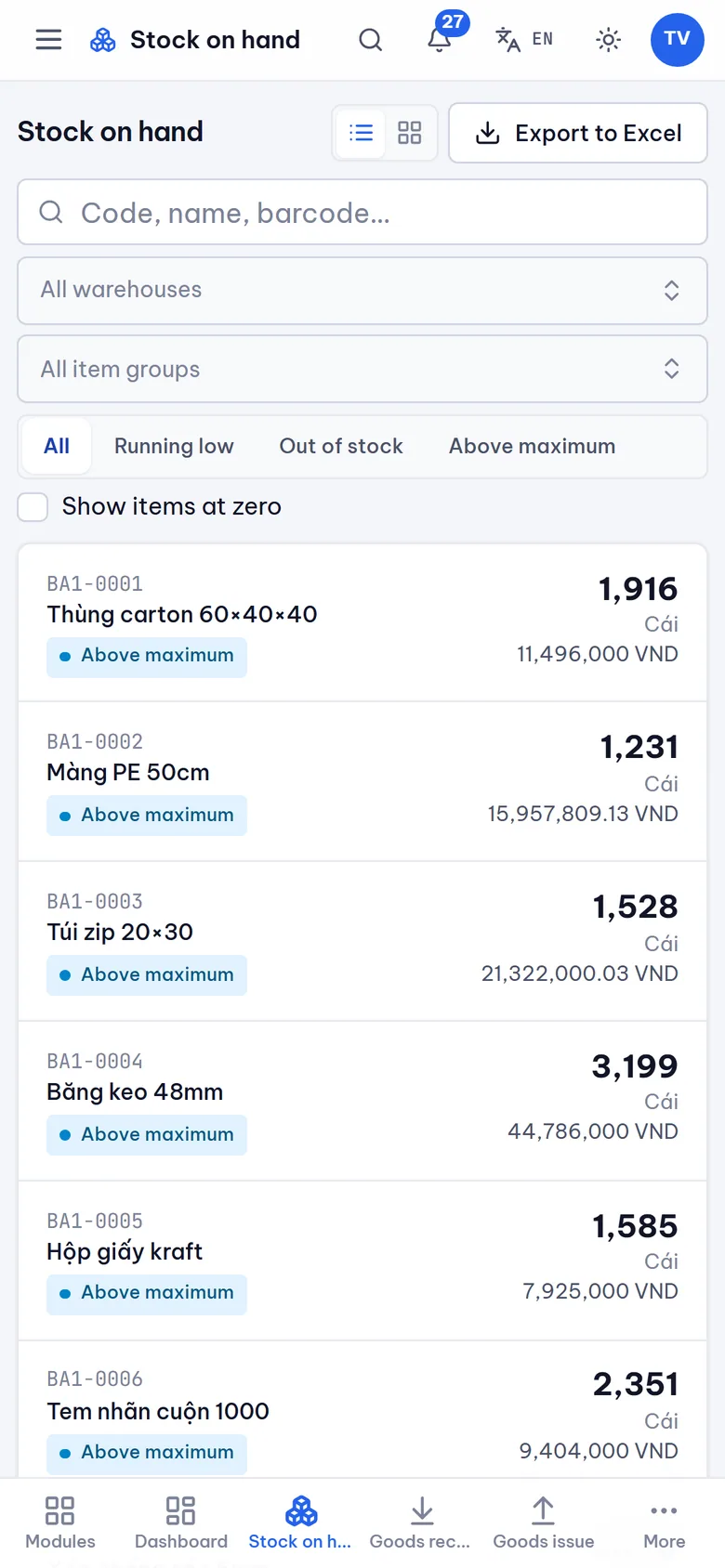
Stock
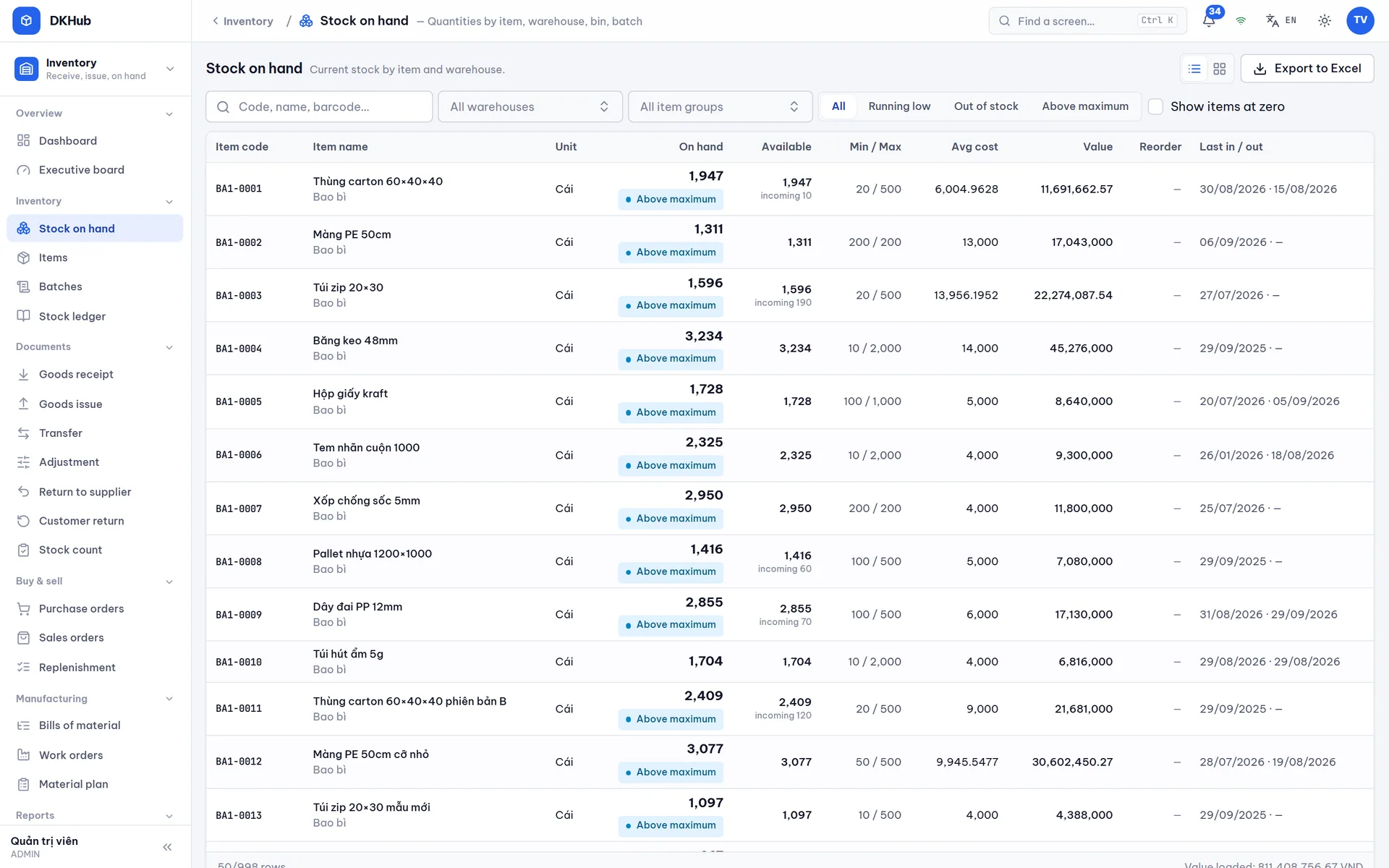
Receive, issue, transfer and count stock. Track every batch and expiry date, with reminders before you run out.
- Cartons, boxes and single units
- Scan barcodes with a phone camera
- Work out materials for production
Selling
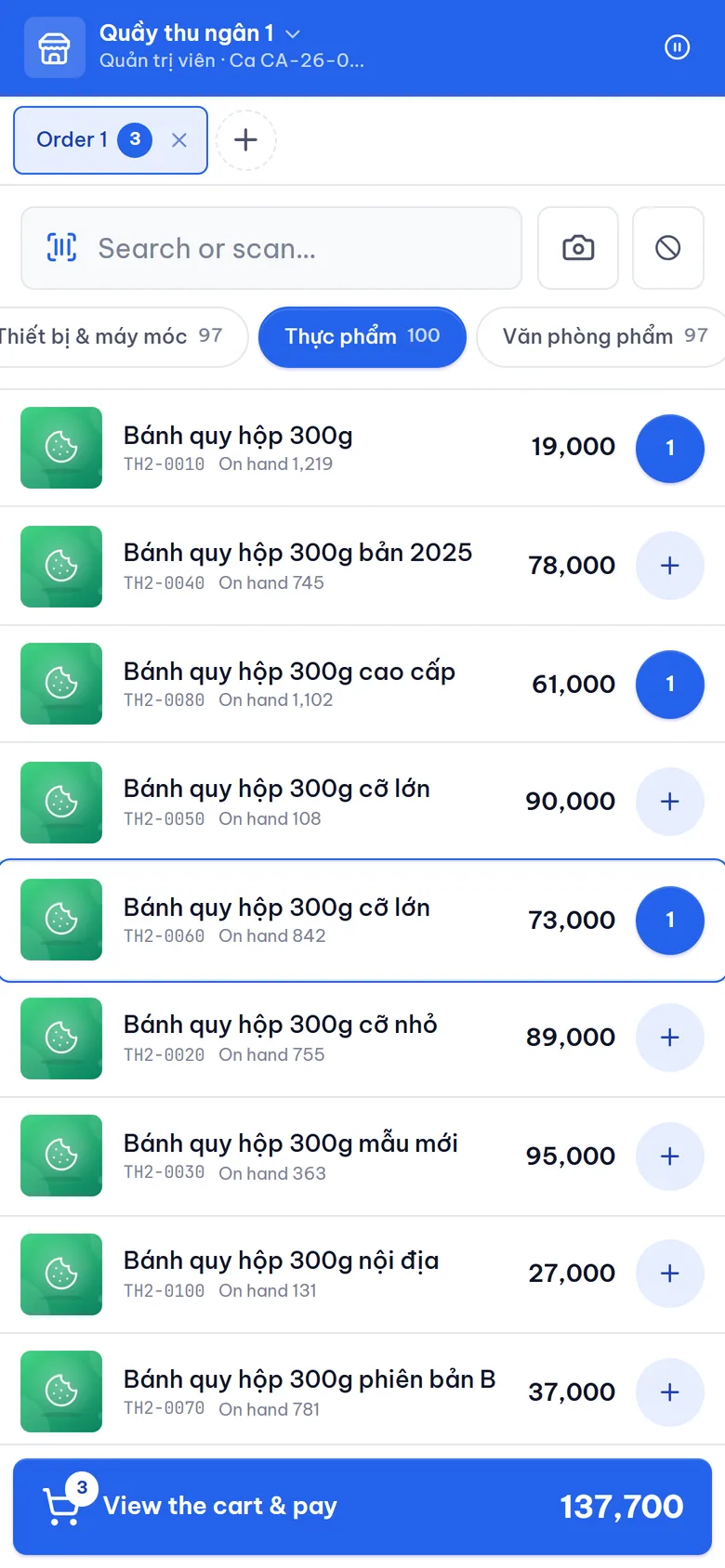
One till for shops, restaurants, cafés, pharmacies and spas. Table plans, kitchen orders, promotions and QR payments.
- Keeps selling when the internet drops
- Prints receipts, opens the cash drawer
- Closes the shift and counts the drawer
Loyal customers
Points, member tiers, rewards, promotions and a lucky wheel customers can spin at the counter.
- Set your own point rules
- Budget limits per promotion
- QR stickers on products to earn points
Approvals
Ready made forms for advances, purchases and business trips. Requests go to the right approver, with a stand in when someone is away.
- Approve from your phone
- Automatic reminders before deadlines
- Next task assigned once approved
Staff
Records, contracts, attendance, leave and payroll with insurance and personal income tax under the latest rules.
- Check in with a QR code at work
- Overtime and night shifts worked out for you
- Staff see their own payslips
Accounting
Stock notes and payroll flow straight into the books. Cash, assets, financial statements and tax listings.
- Follows Vietnamese accounting standards
- VAT worked out per item
- Asset depreciation calculated for you
Customer care
Send Zalo, SMS and email messages at the right moment: new members, recent purchases, birthdays, expiring points.
- Pick which customers to reach
- Schedule bulk messages
- See which messages arrived and which failed
Product QR labels
A unique QR label on each product lets customers earn points, check it is genuine and activate the warranty.
- Change what the label shows without reprinting
- Spot signs of counterfeits
- Trace the production batch
Teamwork
Company news feed, internal chat, task boards and progress on every project.
- Drag and drop task board
- Mention colleagues, share files
- Log time spent on each task
Reports
116 ready made reports: stock, slow sellers, sales, loyal customers, payroll and tax.
- Choose the charts you want
- Download to Excel with your filters
- An overview board for directors
Why the numbers always match
Four things that keep your numbers right
Stock always matches the shelf
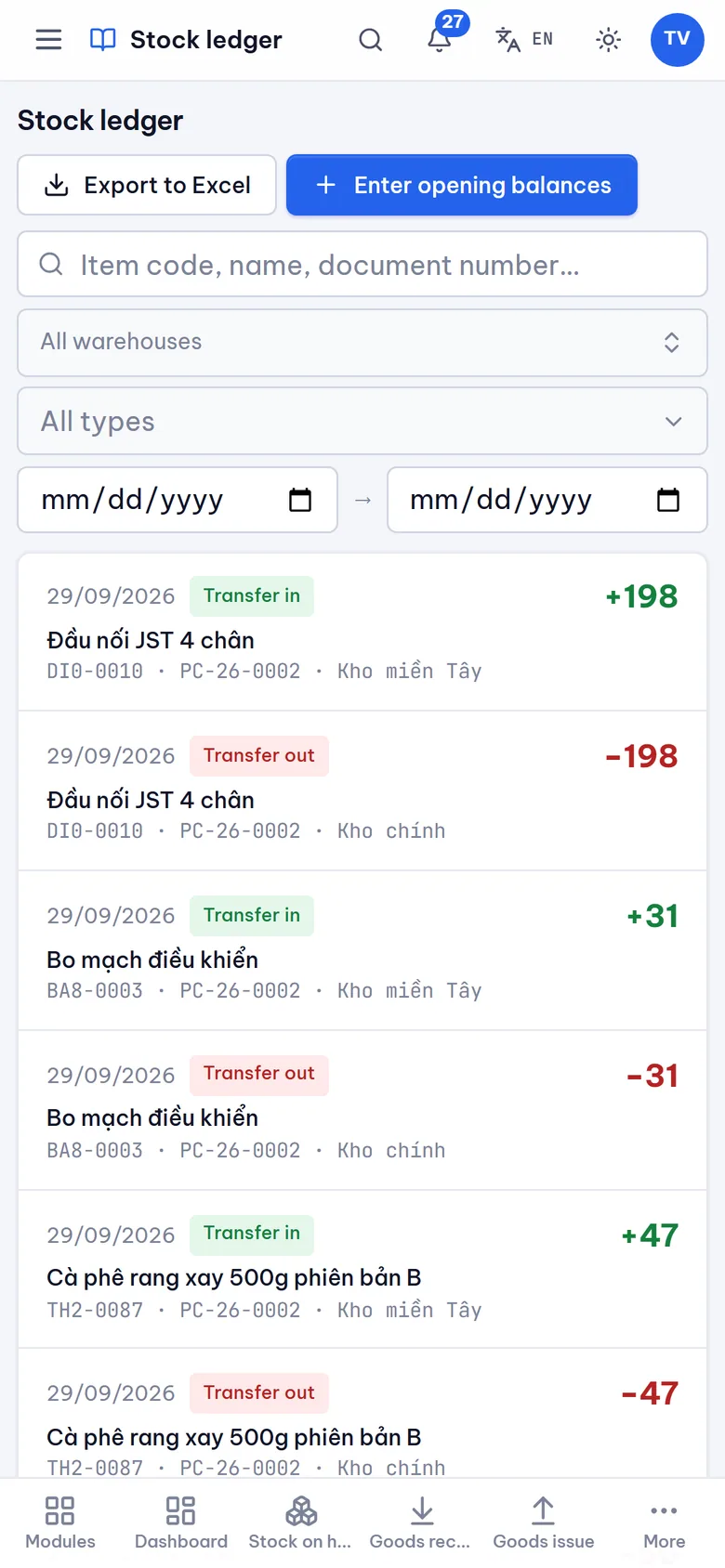
Stock is added up from every receipt and sale. There is no box anyone can edit to make it match.
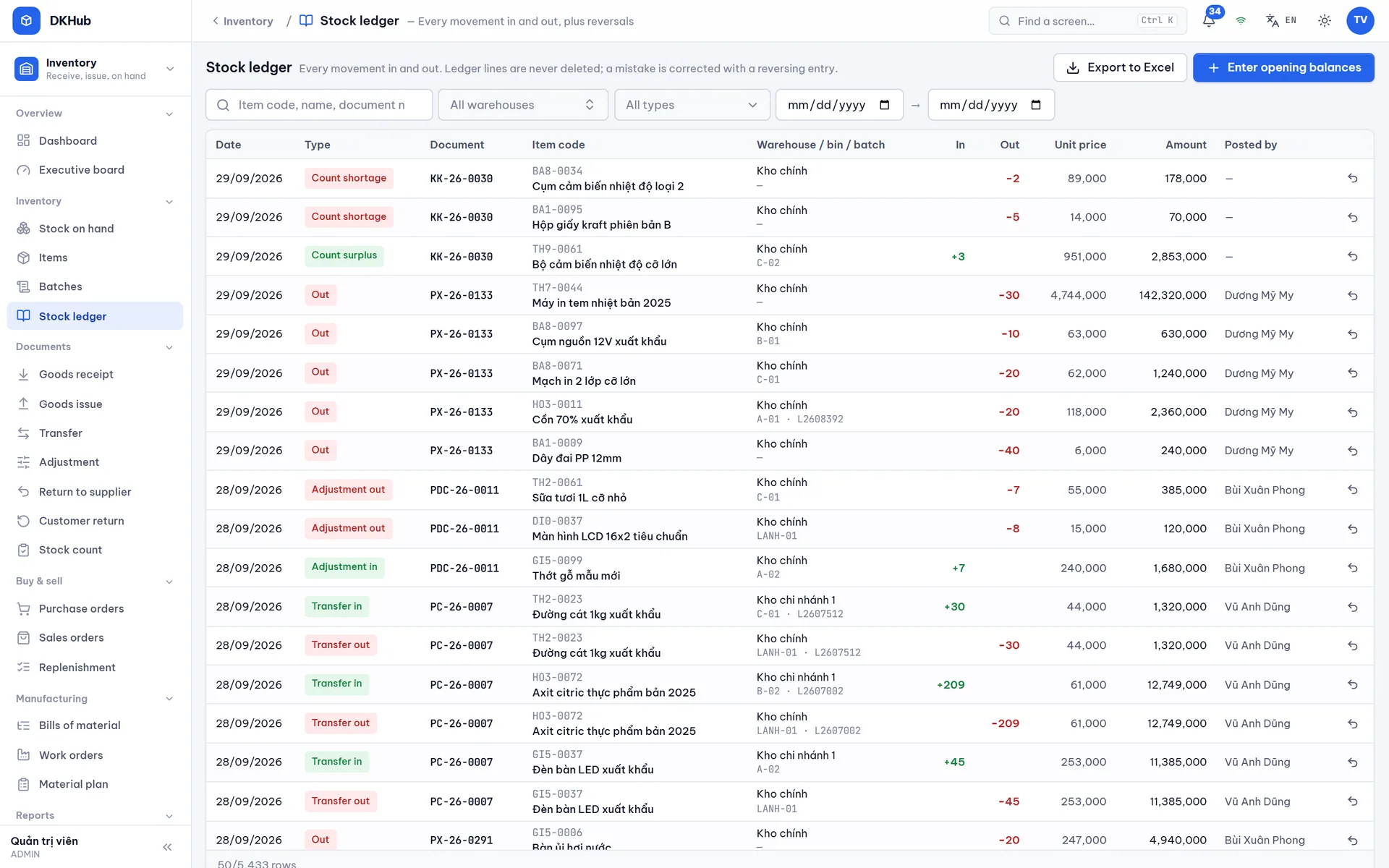
Nobody can erase history
A mistake is fixed with a correcting note. Who did what, when and why stays on record.
Nothing counts until approved
Drafts do not touch stock. Two people approving at the same moment still cannot ship more than you have.
Totals are worked out for you
Received, delivered and left in each batch are all calculated, never typed in by hand.
One till for every kind of shop
Each sale updates stock, rewards the customer and hands accounting the numbers. Nothing is typed twice.
- Grocery, mini mart
- Restaurant, bar
- Café, bubble tea
- Fashion
- Pharmacy, cosmetics
- Electronics, phones
- Spa, salon
- Fresh food by weight
Table plan and kitchen
See at a glance which tables are busy and what is cooking. When the kitchen is done, the till is told to serve.
Guests order from the table
Guests scan the QR code on the table to order, and staff confirm before it goes to the kitchen.
Sells without internet
Receipts are kept on the device and sent up once the connection is back. No sale is lost.
QR payments
Bank transfer, VNPAY, MoMo and ZaloPay. Once the money arrives, the receipt completes itself.
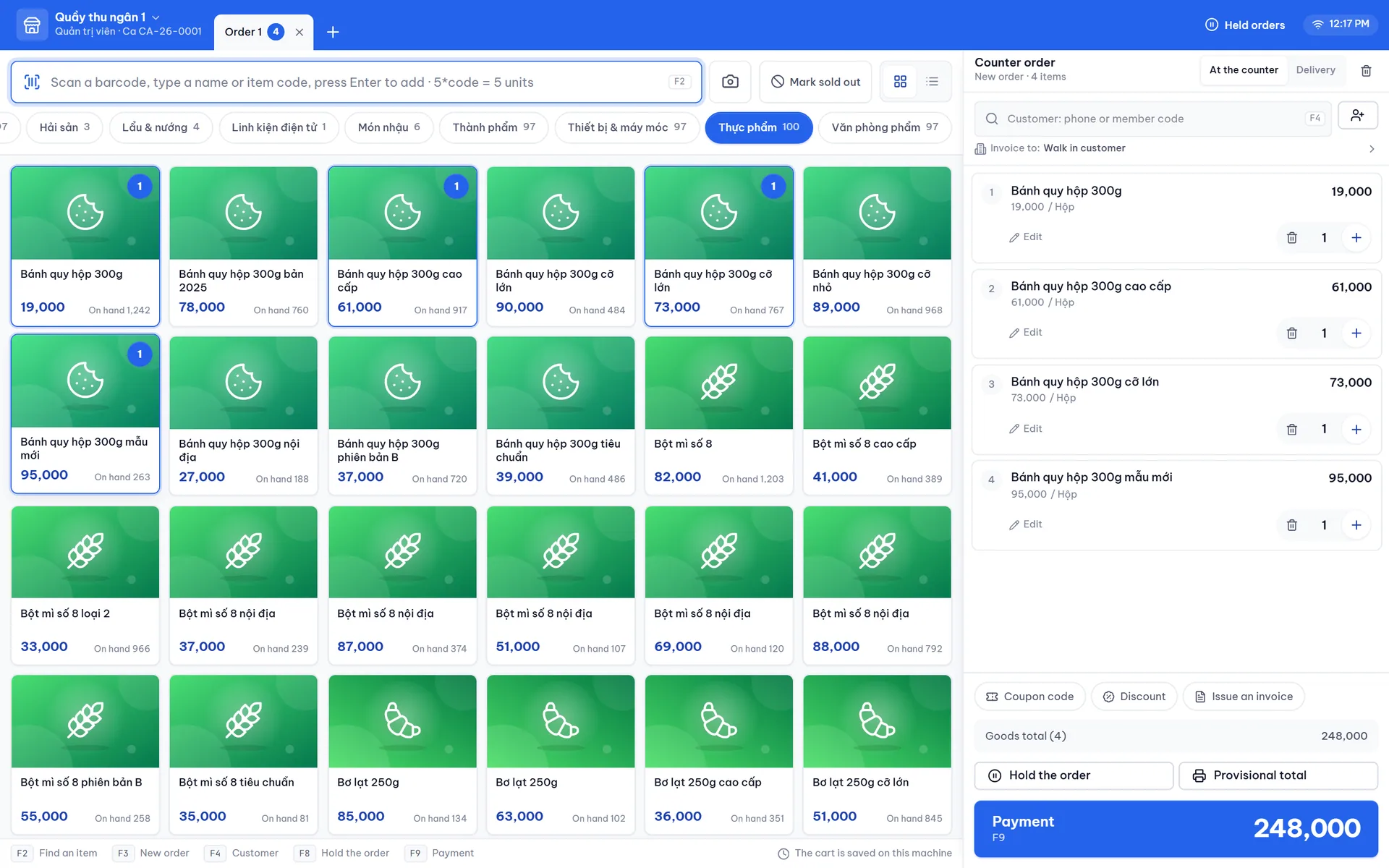
Till with a shopping cart
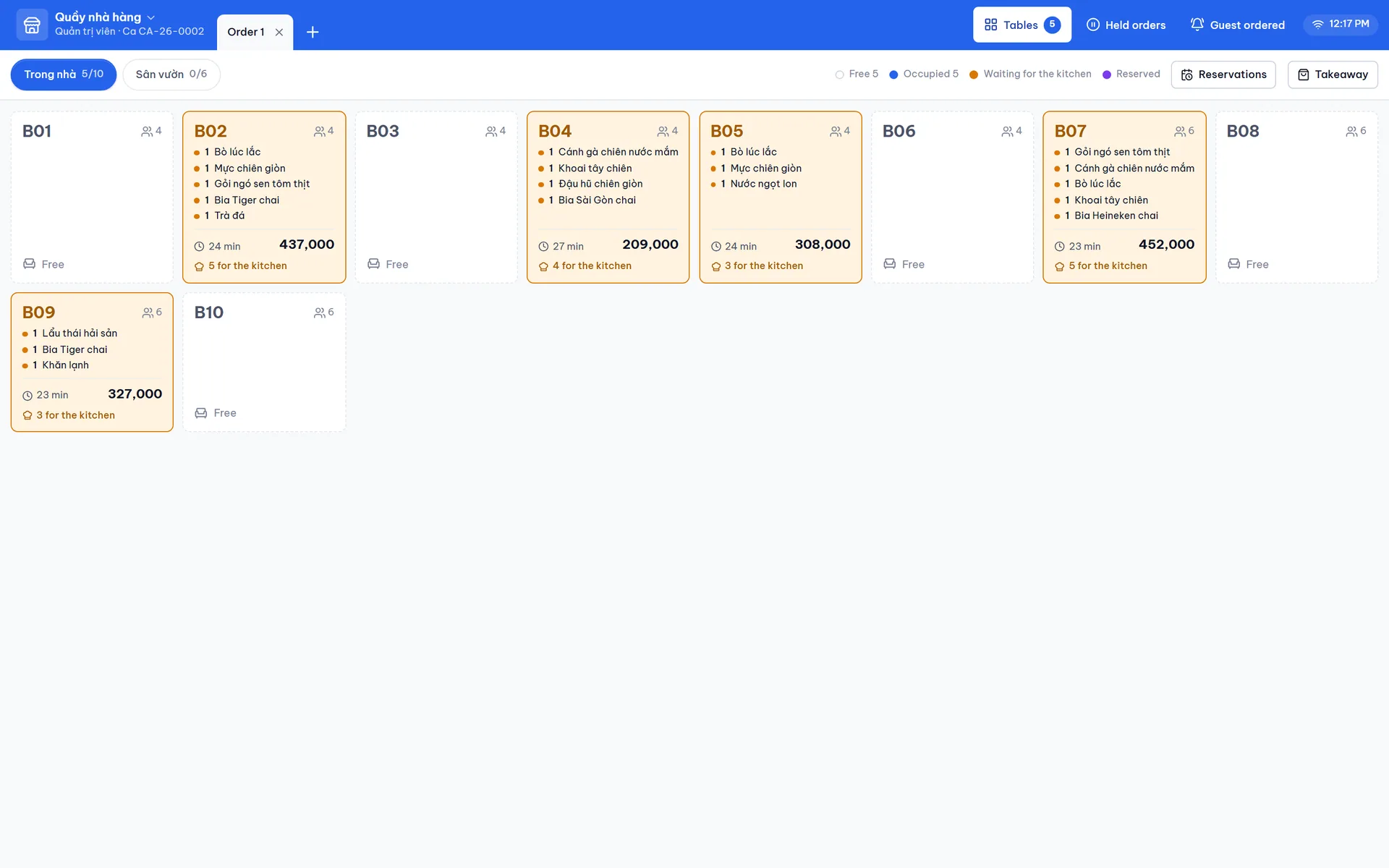
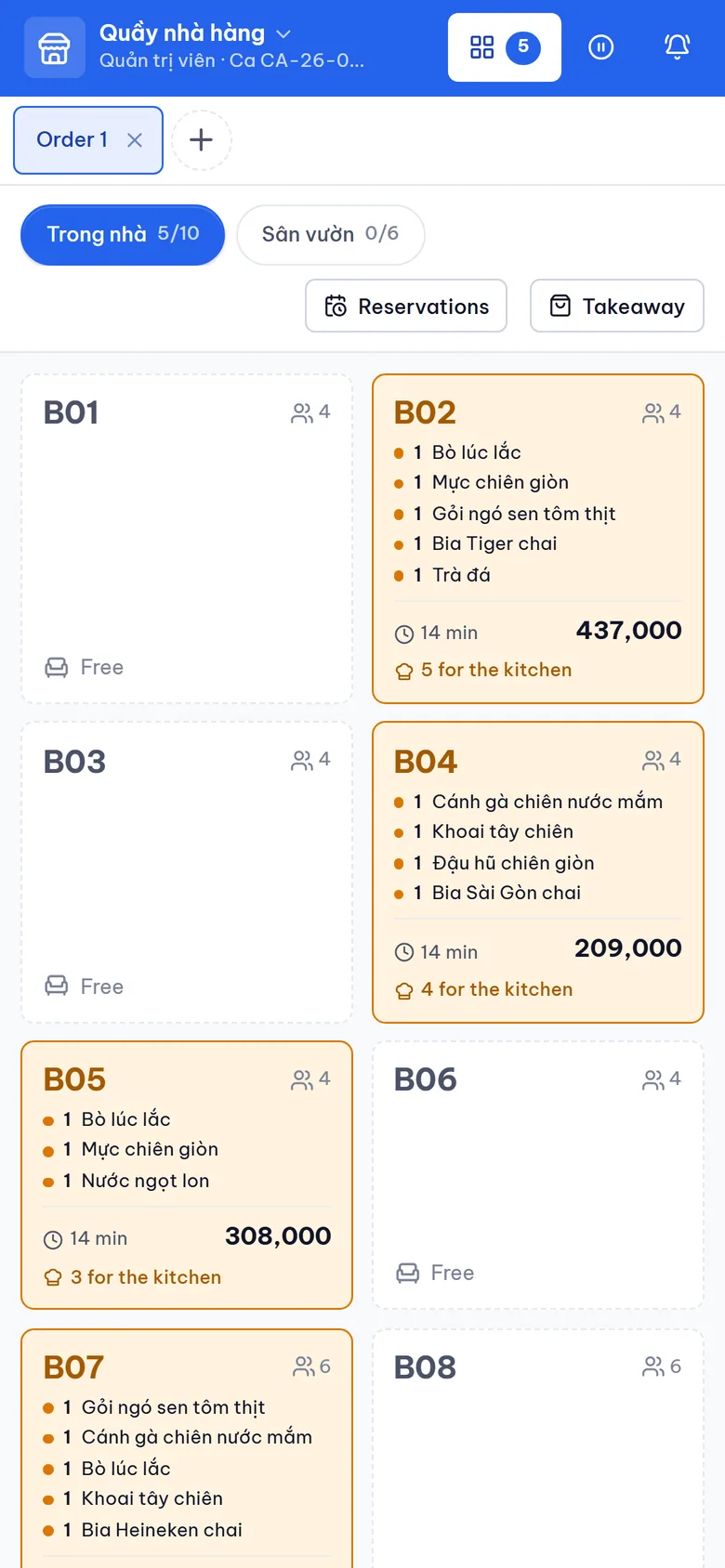
Restaurant table plan with orders in progress
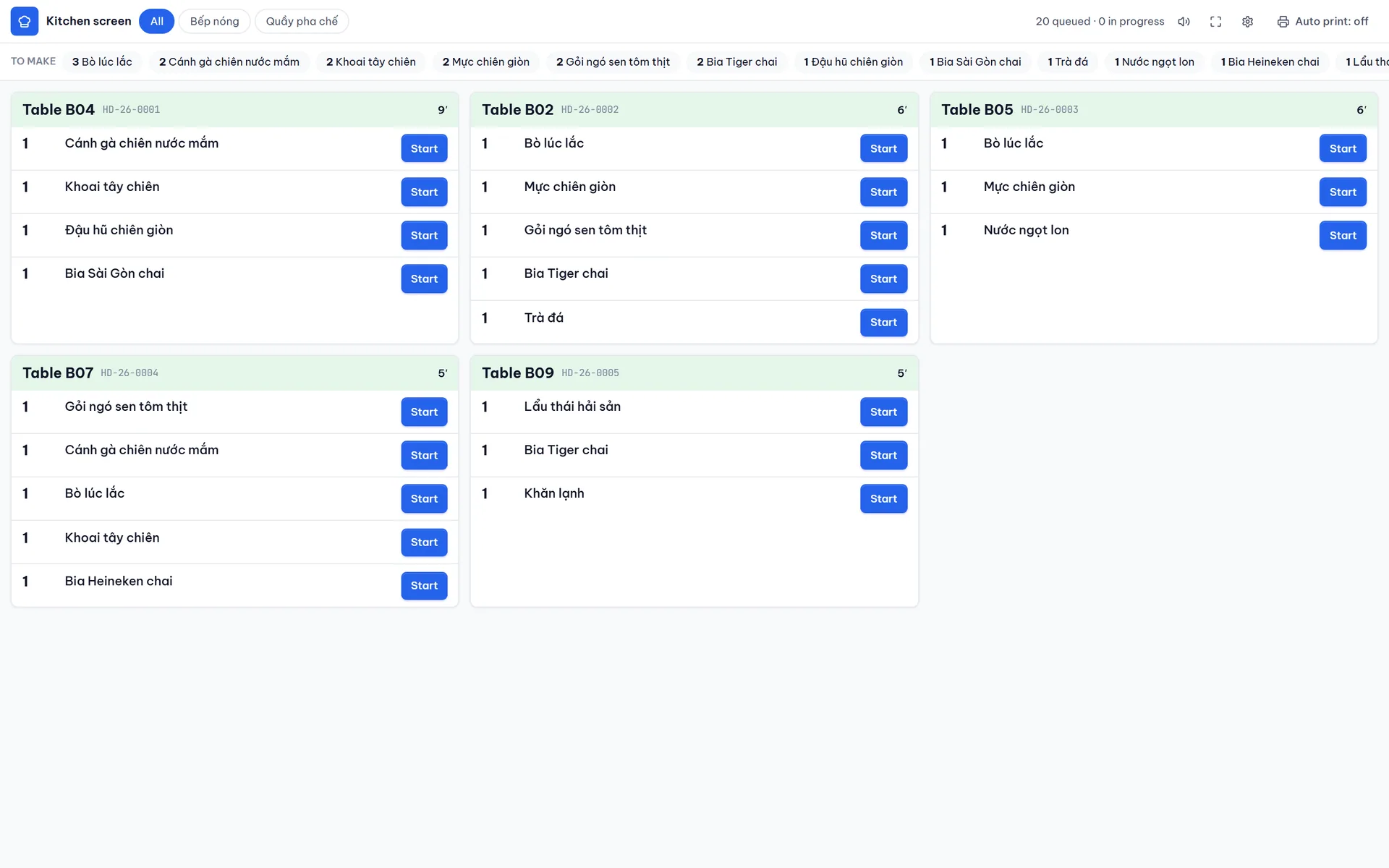
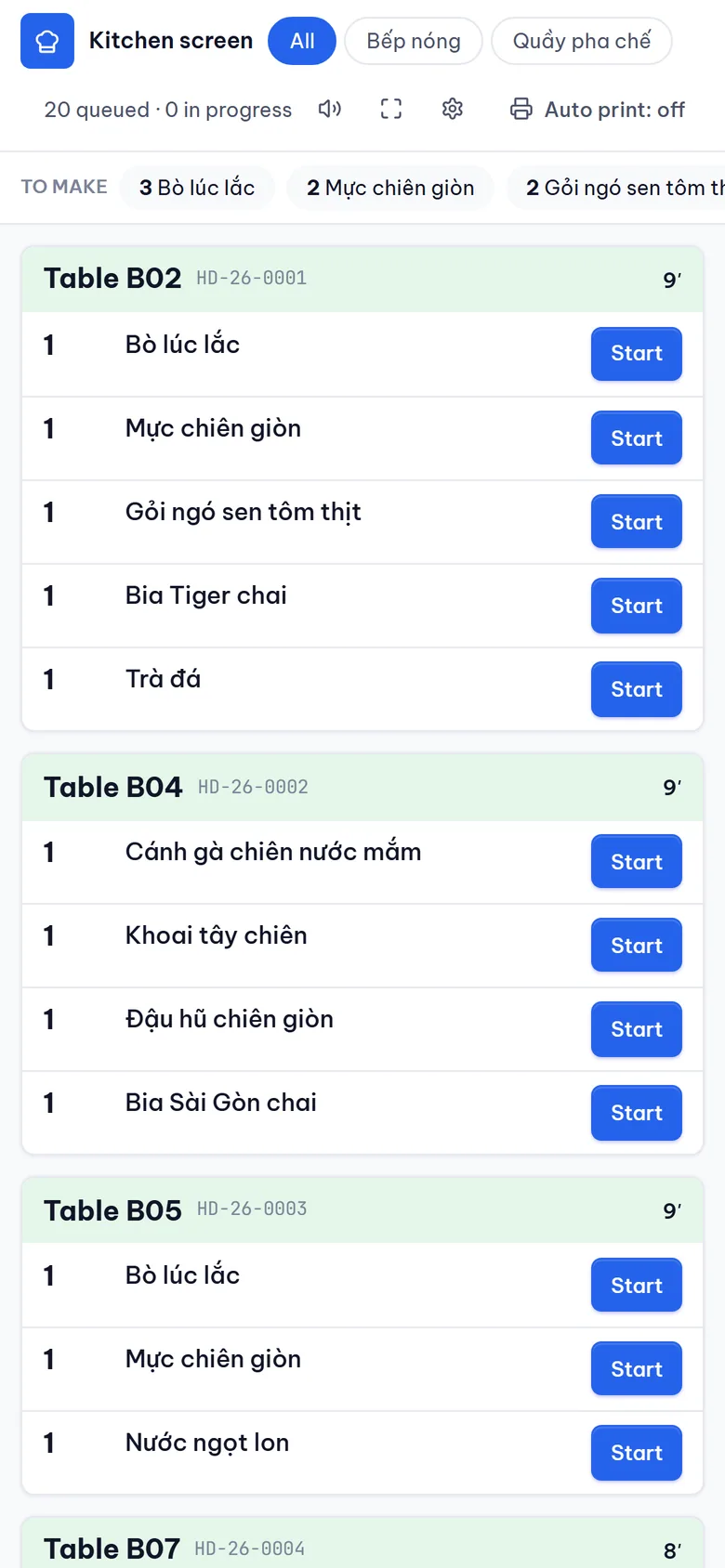
Kitchen screen
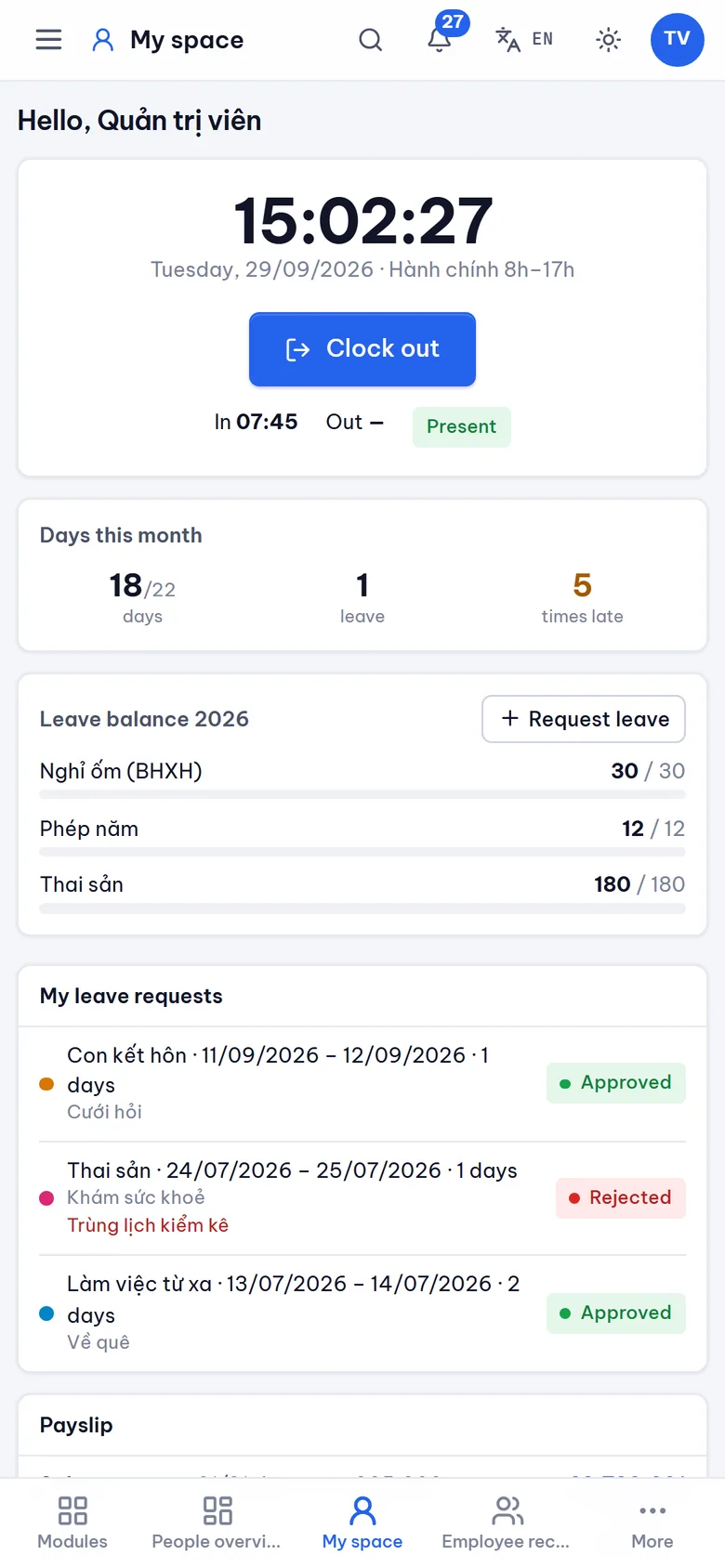
Manage it all from your phone
Every screen works on a phone. Storekeepers scan, staff check in and managers approve requests from anywhere.
Works with what you already have
Keep your devices and habits. DKHub connects to e-wallets, banks, Zalo, receipt printers, barcode scanners and your other company software.
- Bring in products and customers from the Excel files you use today
- Plug in the devices at your counter, no need to buy new ones
- Your other company software exchanges figures with DKHub automatically



- Zalo
- Receipt printer
- Barcode scanner
- Cash drawer
- E-invoice
- SMS, email
- Other software
Choose how you want to use it
Online
Nothing to install and no server to buy. Sign in and start on your computer or phone.
- Each company's data kept separate and safe
- Several shops or brands managed in one place
At your company
The software runs on a computer in your office. Ideal when you want to keep all data in house.
- Your data never leaves the company
- Pay only for the parts and users you need
Get started in four steps
- 1
Talk it through
We look at which areas you need and who approves what.
- 2
Bring your data in
Products, customers and staff come straight from your Excel files.
- 3
Try it in one team
One team starts first and compares the numbers with the old way.
- 4
Roll it out
Once they are comfortable, switch on more areas for everyone.
Frequently asked questions
Do we have to use every area?
No. Switch on only what you need and the rest stays hidden. Add more at any time and your existing data is shared.
Is our company's data safe?
Each company and each brand has its own separate data, never mixed with anyone else. Each person only sees the work assigned to them.
Does it work on phones?
Yes. It was built for phones first: scan with the camera, approve requests and check in right from your phone.
Do invoices and books follow Vietnamese rules?
Yes. The books follow Vietnamese accounting standards, retail invoices follow the latest cash register rules, and payroll follows current income tax and social insurance law.
Can we bring in our old Excel data?
Yes. Products, customers, suppliers and opening stock import from Excel or can be pasted straight from a spreadsheet. Any wrong rows are pointed out so you can fix them.
Can foreign staff use it?
Yes. Everyone picks Vietnamese or English, and notifications reach each person in their own language.
Leave your details and DKHub will be in touch
Tell us a little about your business and what you need. We will get in touch with advice and arrange a trial that fits the way you work.
Already have an account? Open the app